Meeting Your Insurance Requirements: A Simple 8-Step Guide to Securing Coverage with ACT Insurance
We are so thrilled to have you join us for the upcoming Bespoke Art Society event at Malibu Wines and Beer Garden!
Malibu Wines requires all participants to have coverage in place prior to the event date. This insurance requirement is non-negotiable. To make this process as seamless as possible, we have created an easy-to-follow guide using our recommended provider, ACT Insurance.
Think of adding an “additional insured” as sharing your insurance “shield” with the venue; if an accident occurs at your booth – such as a customer tripping or a display getting damaged – your policy steps in to protect both you and the organizers. This is a standard requirement for almost every professional market, and it ensures that everyone is protected before setup begins.
If you already hold an annual policy with ACT Insurance, updating your details is quick, easy, and completely free. You can add as many additional insureds as necessary at no extra cost, even after your plan has been purchased. Simply log into your account, click “Add Additional Insured,” and you can immediately download your updated certificates to submit for the event.
Once you’re there, click “Buy Now” if you’re new, or log in to your account if you’ve already signed up.
✅ STEP 2: Add A Policy
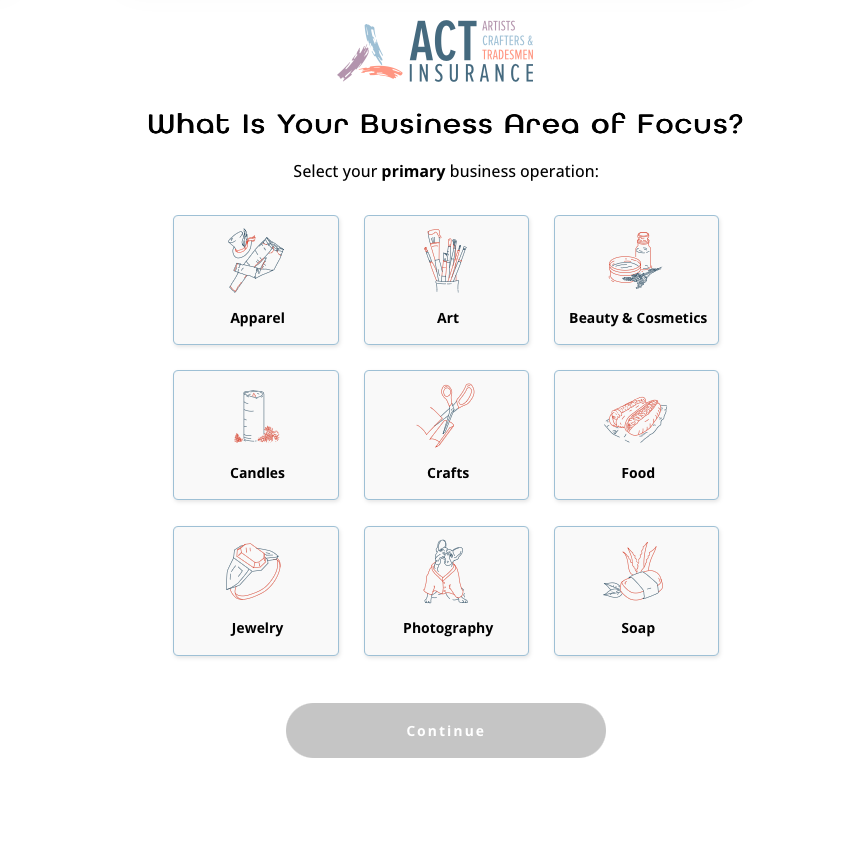
Continue through the steps to add a policy that fits your type of business.
When you reach checkout, don’t forget to apply your discount code – these are case sensitive and must be entered at checkout.
Bespoke Art Society vendors can use:
bespokeartsociety5 — $5 off any ACT Go policy
bespokeartsociety10 — $10 off any ACT annual policy
✅ STEP 3: Policy Is Done! Now What?
Congratulations! You’ve purchased the insurance policy required to participate in the market.
Having insurance at events is essential – it helps protect you, the event organizers, and everyone attending. Accidents can happen anywhere, and the right coverage ensures you’re prepared and able to focus on what really matters: running your business and connecting with customers.
The final step is to add the required additional insured. This ensures the market or event is properly covered under your policy.
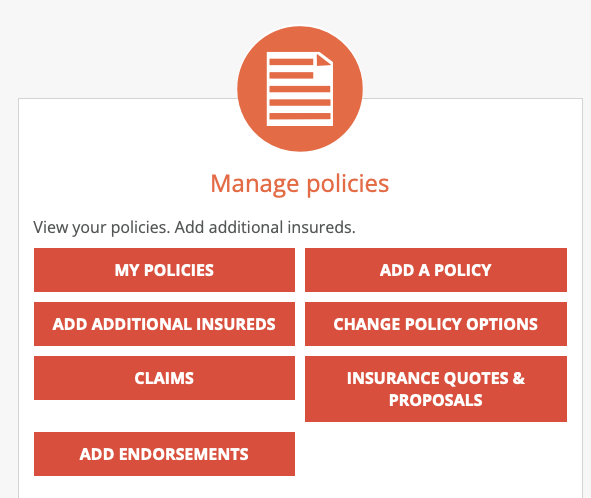
To do this, return to the main page of your account and select “Add Additional Insureds” under the Manage policies area of the screen.
Completing this step is crucial for your participation to be fully approved.
✅ STEP 4: How Do I Actually Add Additional Insureds?
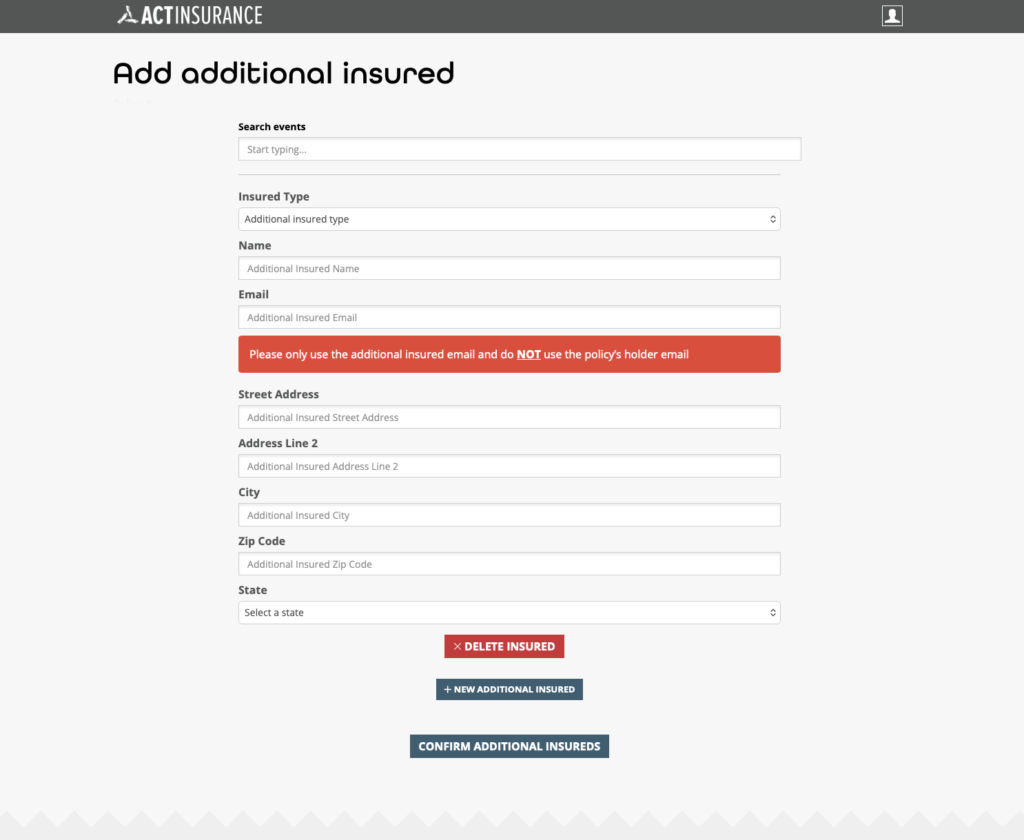
Step 1: Select “Add Additional Insureds”
Step 2: Skip “Search Events”
Step 3: Select “Retailer/Distributor/Vendor” for “Insured Type
Step 4: For the email use devon@malibuwines.com for both companies.
Step 5: Names and addresses are:
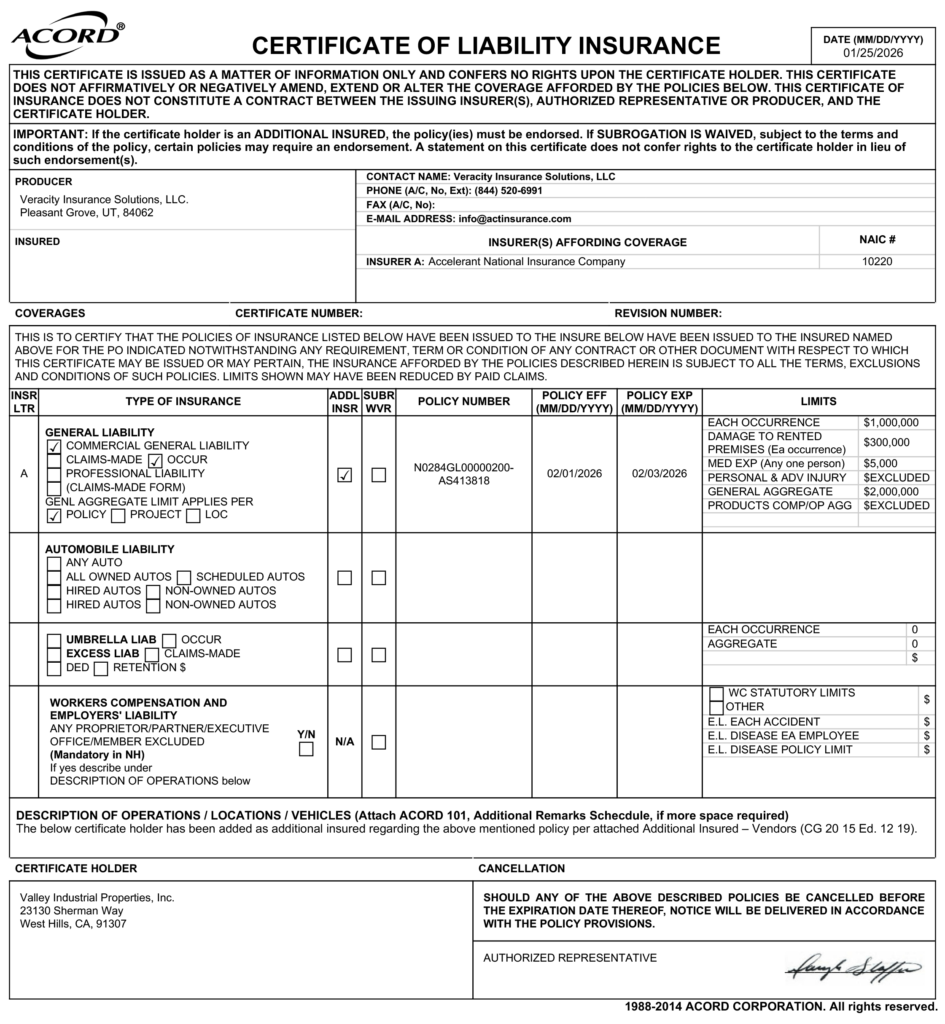
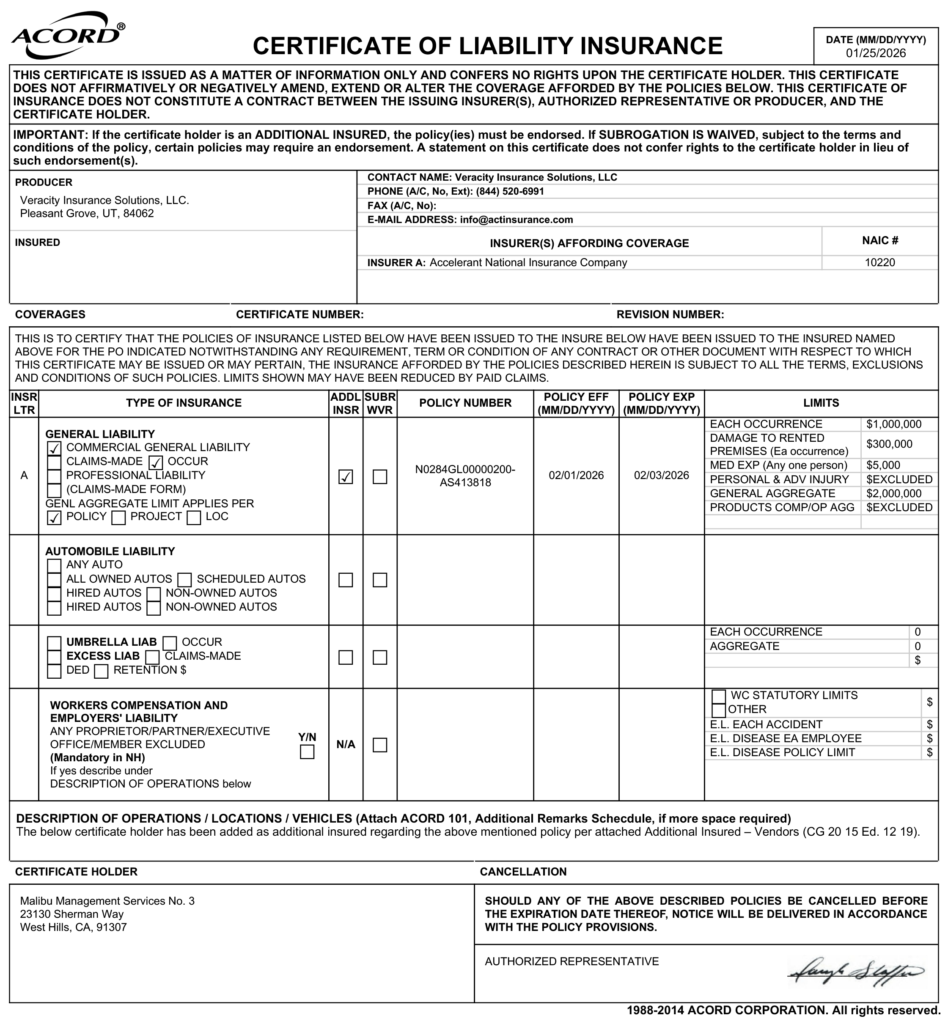
Malibu Management Services No. 3 23130 Sherman Way West Hills CA 91307
Valley Industrial Properties, Inc. 23130 Sherman Way West Hills CA 91307
PLEASE NOTE THAT IT IS it is not “Malibu Wines” or “Malibu Wines and Beer Garden”.
✅ STEP 5: What Should It Look Like?
✅ STEP 6: Okay, I've Added The Two Additional Insured. Now What?
After you’ve added both required additional insureds – Malibu Management Services No. 3 and Valley Industrial Properties, Inc. – return to your dashboard.
From there, navigate to the “Download Documents” section, where you should see all of your insurance certificates available for download.
For your compliance to be considered complete, we must receive the following certificate of liability insurance statements:
A certificate listing Malibu Management Services No. 3 as an additional insured
A certificate listing Valley Industrial Properties, Inc. as an additional insured.
✅ STEP 7: What Do The Certificates of Liability Insurance Look Like?
Below are two different examples of what the COI looks like and what the “Certificate Holder” area should state.
✅ STEP 8: Email Us Your COIs
Please be sure to download and email these insurance certificates to hello@bespokeartsociety.com.
We are unable to accept email confirmations. Only the actual certificates will meet the insurance requirements. Submitting the correct documents ensures your participation without delays.